

Chibichu APK
Guide

Studio Scenes in Chibichu

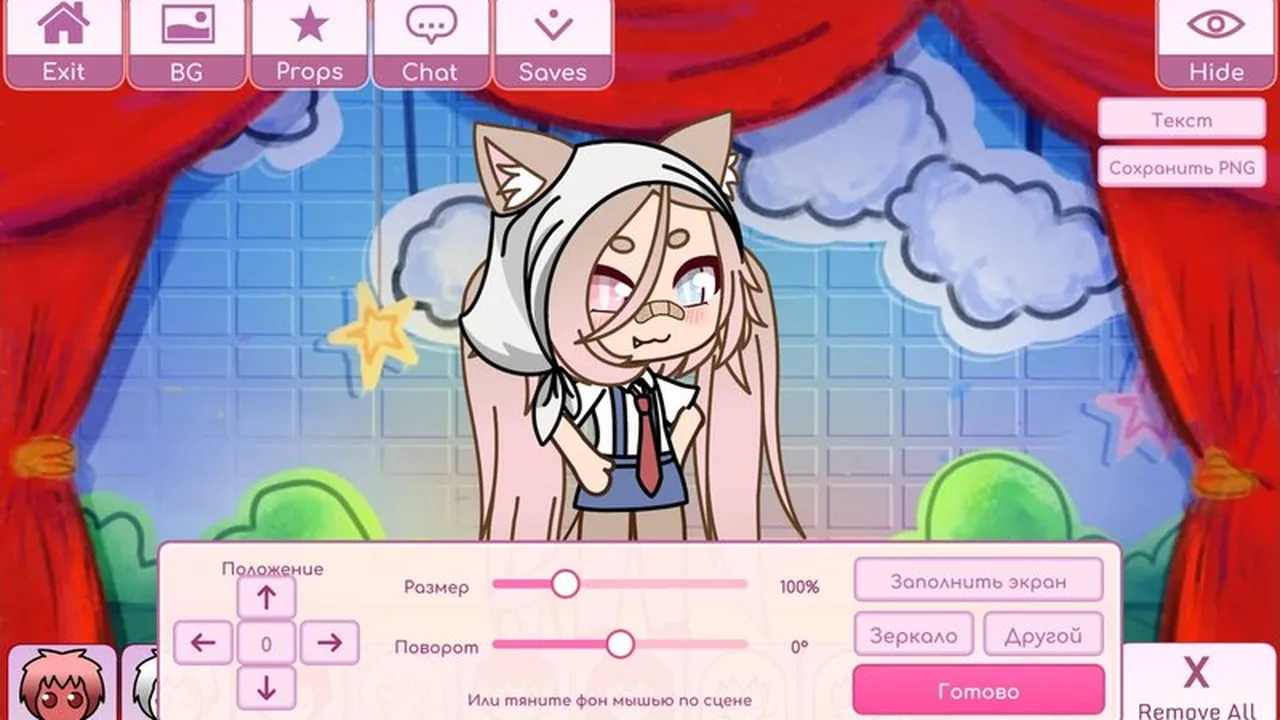
The ChibiChu Studio background controls with a character on a stage backdrop

Background First

Chibichu download Studio scenes start with the background. Size and rotate it until the horizon sits where the characters need it, then lock it in your mind before placing anyone. A background that moves after characters are placed means redoing every placement. The Custom poses and Export guide guides cover the neighbouring steps.

Casting the Scene

Place the main character first, then supporting characters, and leave breathing room around the edges so nothing important touches the frame. Add speech and props last, after the composition is settled, since moving characters after adding text means redoing the text.

Performance in Studio

Watch the frame rate counter as the scene grows. Three characters is a good checkpoint, and below twenty frames per second with three on screen, adding four more turns the editor into a slideshow. Build in passes: composition, then characters, then details.

Chibichu APK Questions

What order should I build a scene in?

Background, main character, supporting characters, speech and props last.

Why is Studio slow?

Too many characters or a heavy background. Simplify and check the frame rate counter.

Are Studio labels translated?

Some are still in the developer original language in the current build. The tools work the same.

Angelica Ramos

Written by

Angelica Ramos

Character Creator Reviewer and APK Tester

Angelica tests character creators the way creators actually use them: long sessions, full casts of characters, and the export step that decides whether a character survives the trip to a desktop editor. She covers dress-up games and character tools, and she checks every Chibichu feature, requirement, and install step against the listing and the project site before it goes up.