
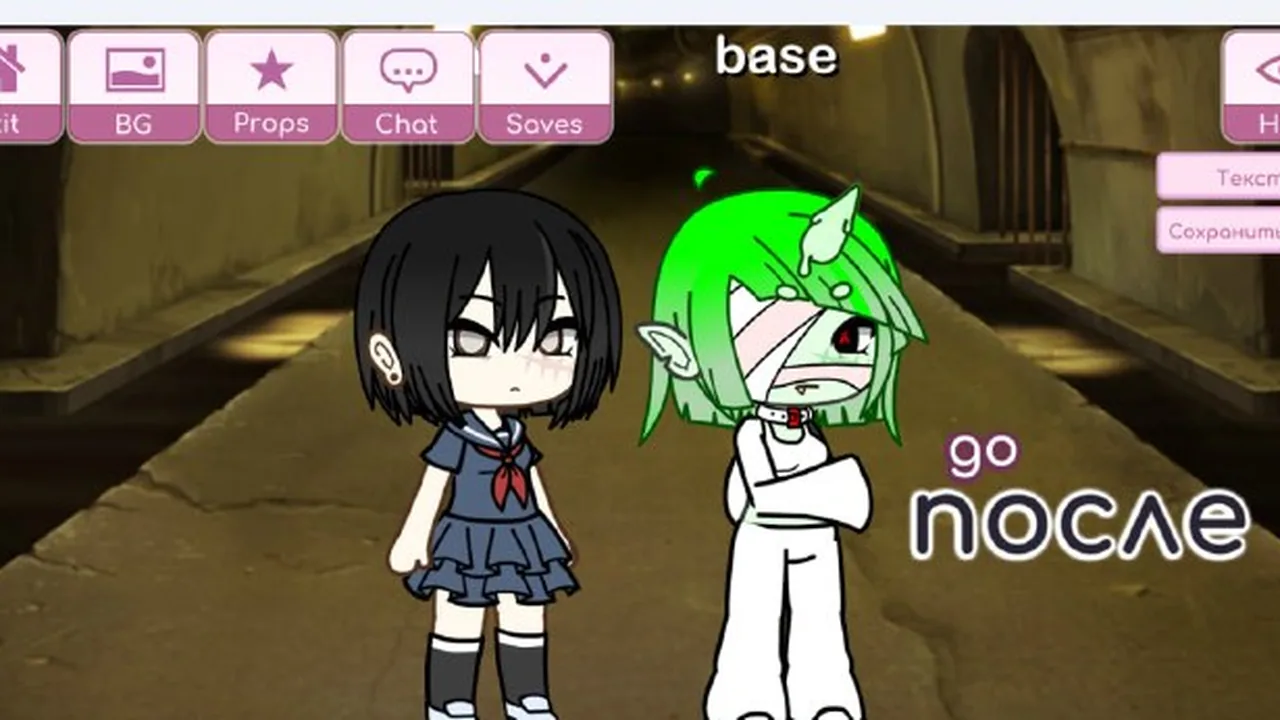

What It Is
Chibichu for Android is a release candidate, and a few Studio labels are still in the developer original language. They change from build to build as more of the interface is translated, and nothing is broken when a label looks unfamiliar. The Studio scenes and Update guide guides cover the neighbouring steps.
The tools behind the labels work the same. A slider is a slider whatever its label says, and the layout of the Studio panel stays familiar from build to build.
Working With Untranslated Labels
Learn labels by position, not by word. The Studio panel keeps its layout, so a control you used last build sits in the same place this build, even if its word changed. Tap, watch what moves, and the function reveals itself.
Keep notes for the labels you use most. A short list of positions and functions, written once, saves repeated guessing across builds.
Later Builds
Each new build translates more labels, so the problem shrinks over time. When a new build lands, check the Studio panel first: the labels you learned by position may finally carry words you recognise, and the panel may gain controls the old build lacked.